Git Worktrees Aren't a Magic Bullet for Parallel Agents
Git worktrees are having a moment. The pitch is that they’re the way to run coding agents in parallel: one worktree per agent, each on its own branch, no collisions. Anthropic recommends it in the Claude Code docs, and there’s a small genre of posts now about wiring worktrees up and turning four agents loose at once.
They are not the magic bullet they get sold as. The pitch skips the internals, and on a heavy app the internals are the whole story. If you don’t understand how a worktree actually works, you can follow the advice straight into a worse spot than where you started.
How a worktree works
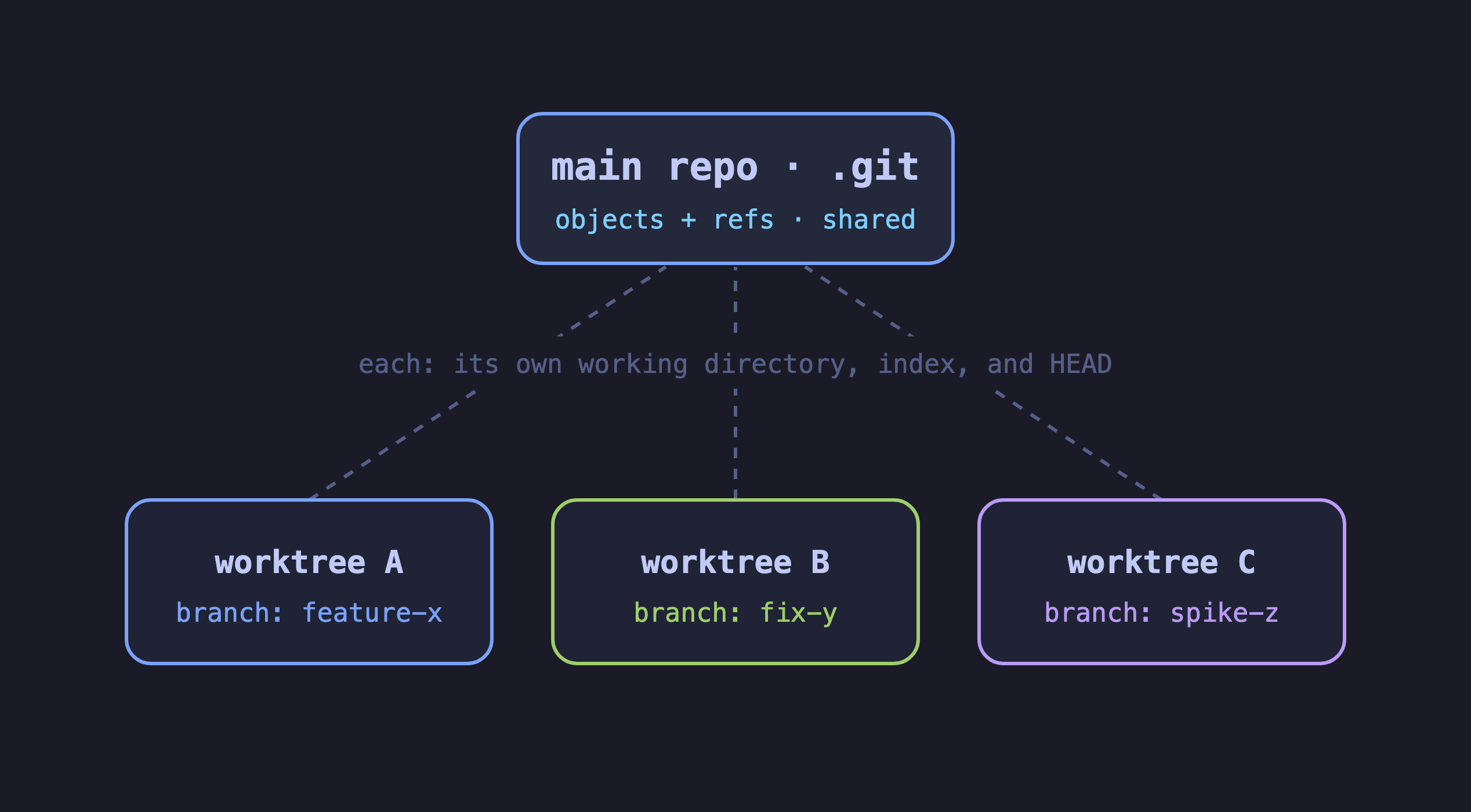
git worktree add ../feature a-branch checks a branch out into its own directory, backed by the repo you already have,
so it comes up close to instant. Every worktree keeps its own working directory, index, and HEAD, while they all share
the one .git. Because each pins its HEAD to a branch, no two can hold the same branch at once
(fatal: 'branch' is already checked out at ...). That shared piece is the whole pitch, and what the next section
weighs.
What a worktree actually shares
The git object database and your refs, through a pointer back to the main .git. That’s it. The working directory is
brand new, the index is brand new, and every file git doesn’t track, node_modules, build output, .env, every cache,
is either absent or freshly duplicated. The part it shares, your commit history, is the part that was never expensive.
The part it doesn’t share is everything that makes a large app slow.
Where the weight is
So an agent in a fresh worktree can’t lean on anything to validate its work. It installs its own dependencies, boots its own dev server, its own test server. For a real app that’s the whole cost of a working environment, paid again per worktree.
And the apps I work in are big. The front end is north of a million lines and around 9.5GB on disk, close to 5GB of it
node_modules; the services behind it run into the hundreds of thousands of lines, a few gigabytes each. None brings a
dev or test server up quickly, the working set sits near 10GB, and the servers want fixed ports wired into config that
assumes one checkout, so a second environment fights for the same ones and you’re remapping just to coexist. The git
history is the small part, well under a gigabyte each, and that’s all a worktree saves you; everything else it hands
back to rebuild, every time.
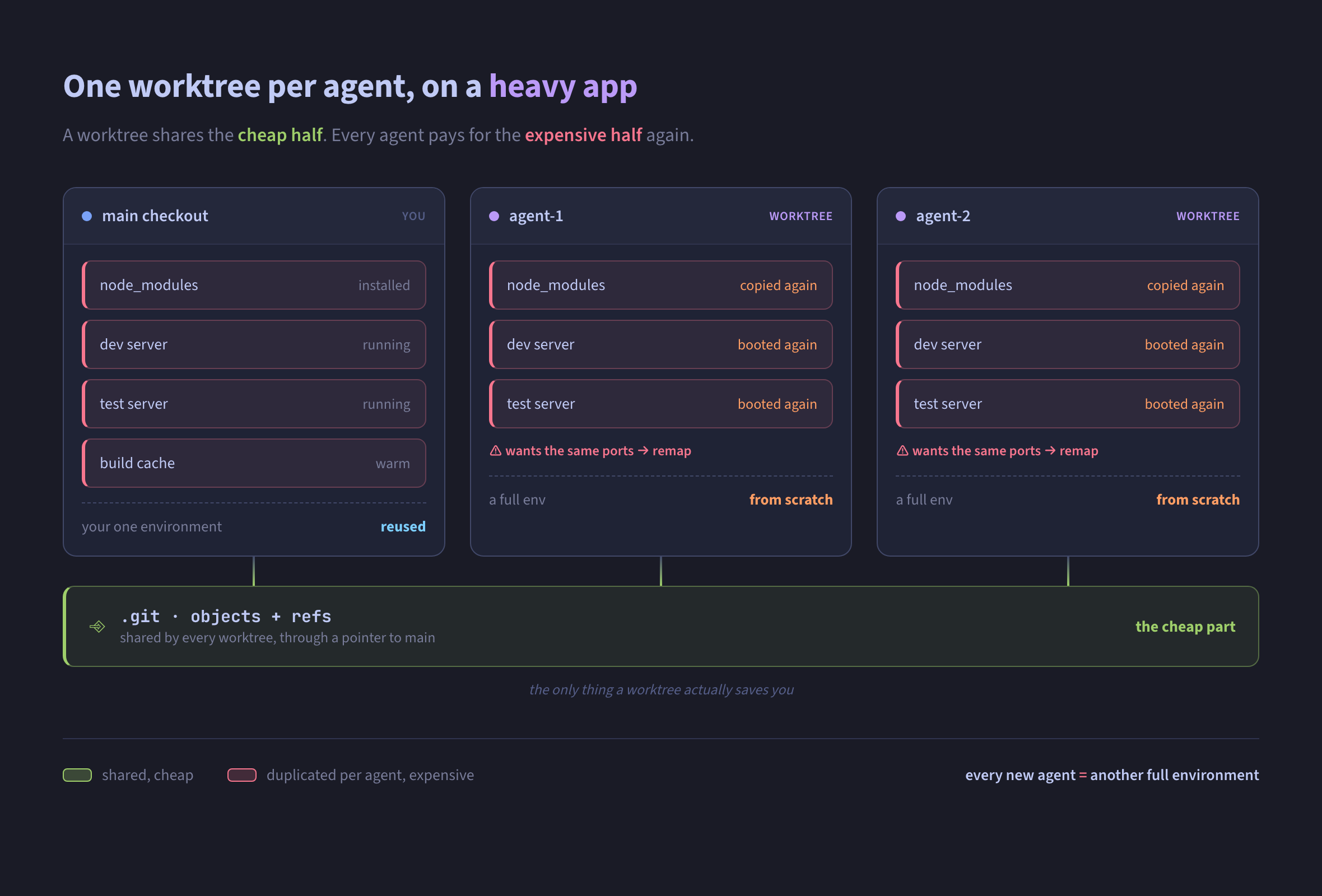
Every worktree copies the expensive half: dependencies, both servers, the same contested ports. The only thing shared is the git history, the part that was never the problem.
Where worktrees still earn it
If your dependencies are light, none of this bites. A small repo where install is seconds and nothing long-running needs
to boot is the case every worktree tutorial is quietly written for. So does a quick hotfix without disturbing what
you’ve staged, cleaner than git stash. The common thread is a cheap or reusable environment; the moment the
environment is the expensive part, the worktree stops paying for itself.
What I do instead
When I have agents working in parallel on the same repo, my setup is simple:
- One clone per agent. Just the code, no dependencies installed, no dev or test server. Nothing to keep warm, so it’s cheap to spin up and throw away.
- The agent works in its clone and pushes its branch to the remote.
- One warm checkout stays up the whole time, dev and test servers running against it.
- I pull each branch in and verify there, on my own schedule.
They’re clones rather than worktrees for one reason: a worktree won’t check out a branch the warm copy already holds, and separate clones each can. The remote roundtrip I’d have called overhead is the clean path, the work arriving through git like anyone else’s would.
None of this makes worktrees bad. It makes them a tool with a shape, and that shape happens to fight mine. Learn what a worktree shares and what it refuses to do, hold it against how you really work, and keep what fits.